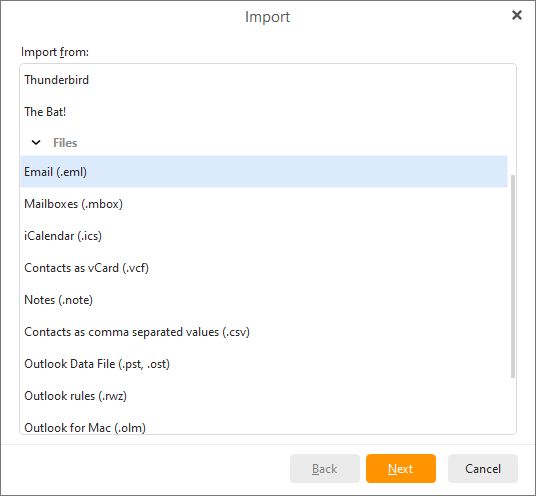
It's possible to import your emails from an .eml file. This can be done very easily using our import wizard.
Click on Menu ->File ->Import in the main menu and following window appears:
Choose the Import from folder with .eml files option and click Next. Another window appears.
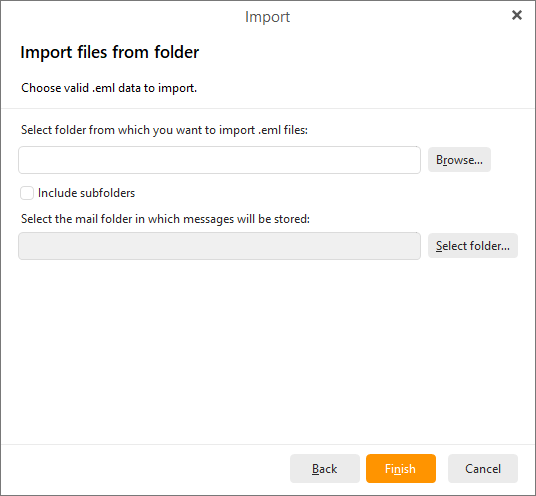
Click Browse...to find the folder in which the .eml files are located.
If the folder containing your .eml files contains subfolders, check the Include subfolders checkbox to import all .eml files contained under the specified location.
Click Select folder... next to the second address bar to select a mail folder in which your messages will be stored.
Click Finish to complete the importing process and close the wizard.